yuFriEye
Telecamere per Frigate NVRCamera viewer for Frigate NVR
- DispositiviDevices
- iPhone, iPad, Mac
- RichiedeRequires
- iOS 17 · macOS 14
- CategoriaCategory
- UtilityUtilities
- PrezzoPrice
- Gratis, senza acquisti in-app né pubblicitàFree, no in-app purchases, no ads
PanoramicaOverview
Le tue telecamere Frigate in un'app nativa, veloce e privata: stato del server, griglia live, avvisi con clip e registrazioni giorno per giorno. Si collega solo al tuo server, senza account né cloud.Your Frigate cameras in a fast, private native app: server status, live grid, alerts with clips and day-by-day recordings. It connects only to your own server, with no account and no cloud.
iPhone
Mac
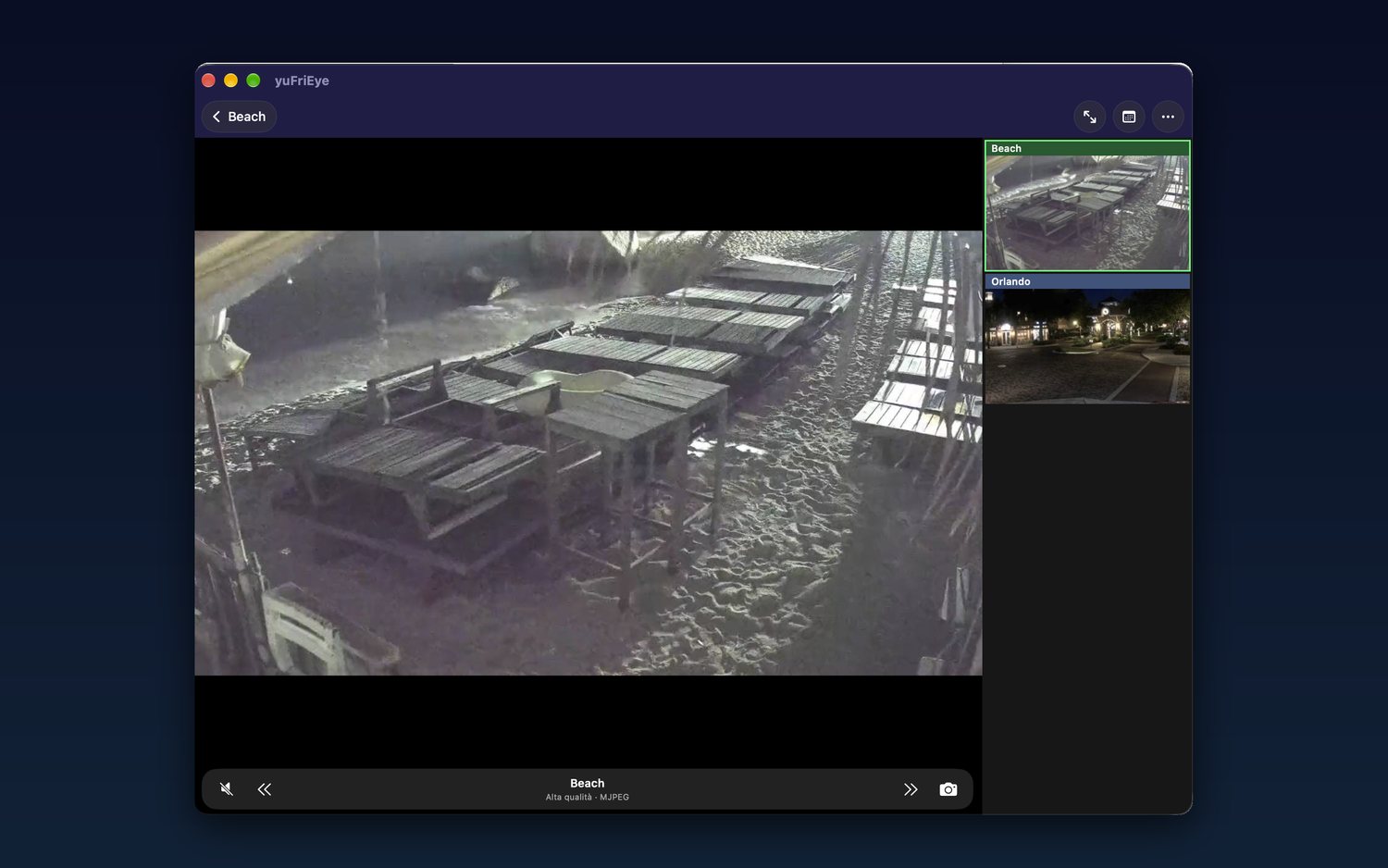
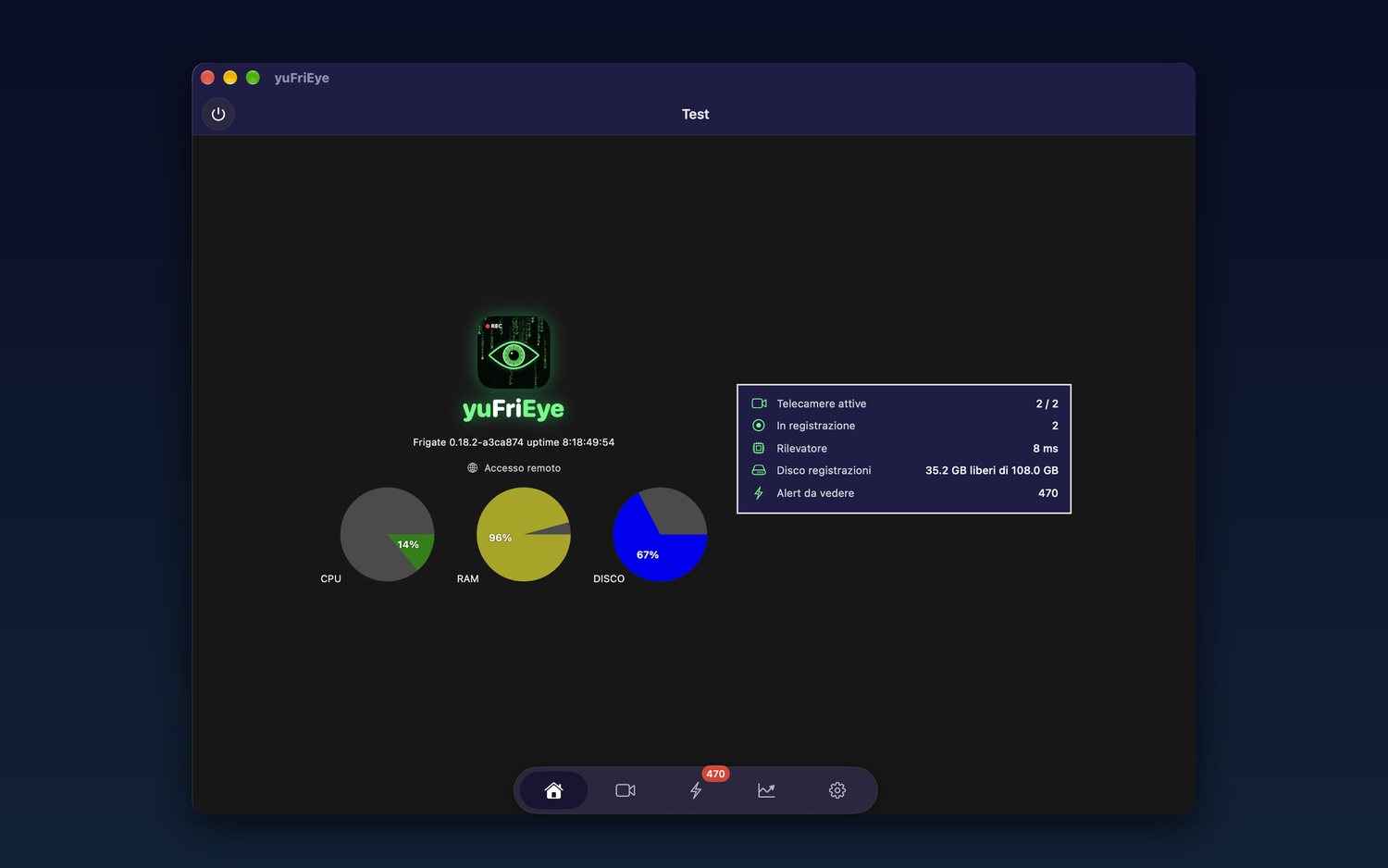
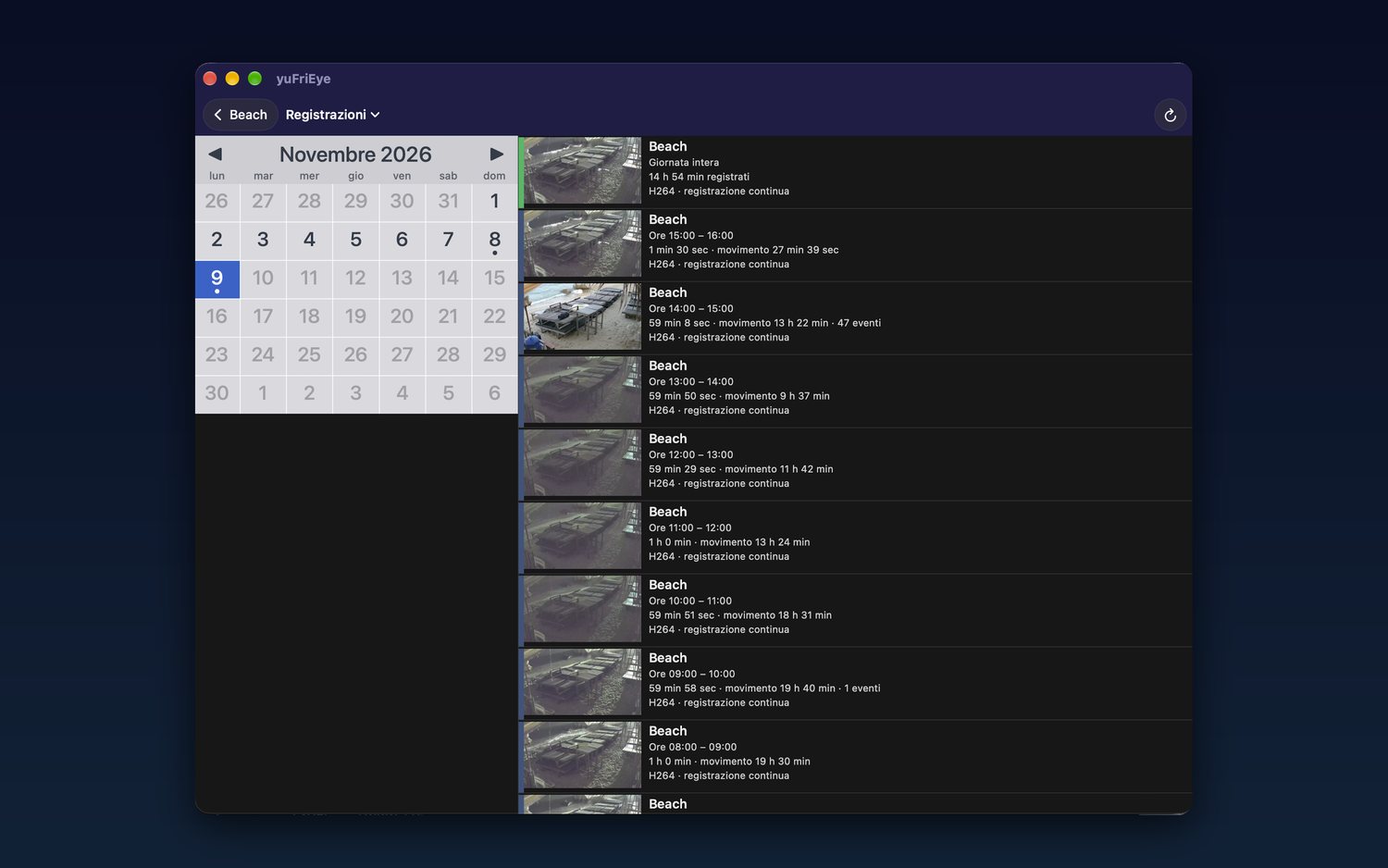
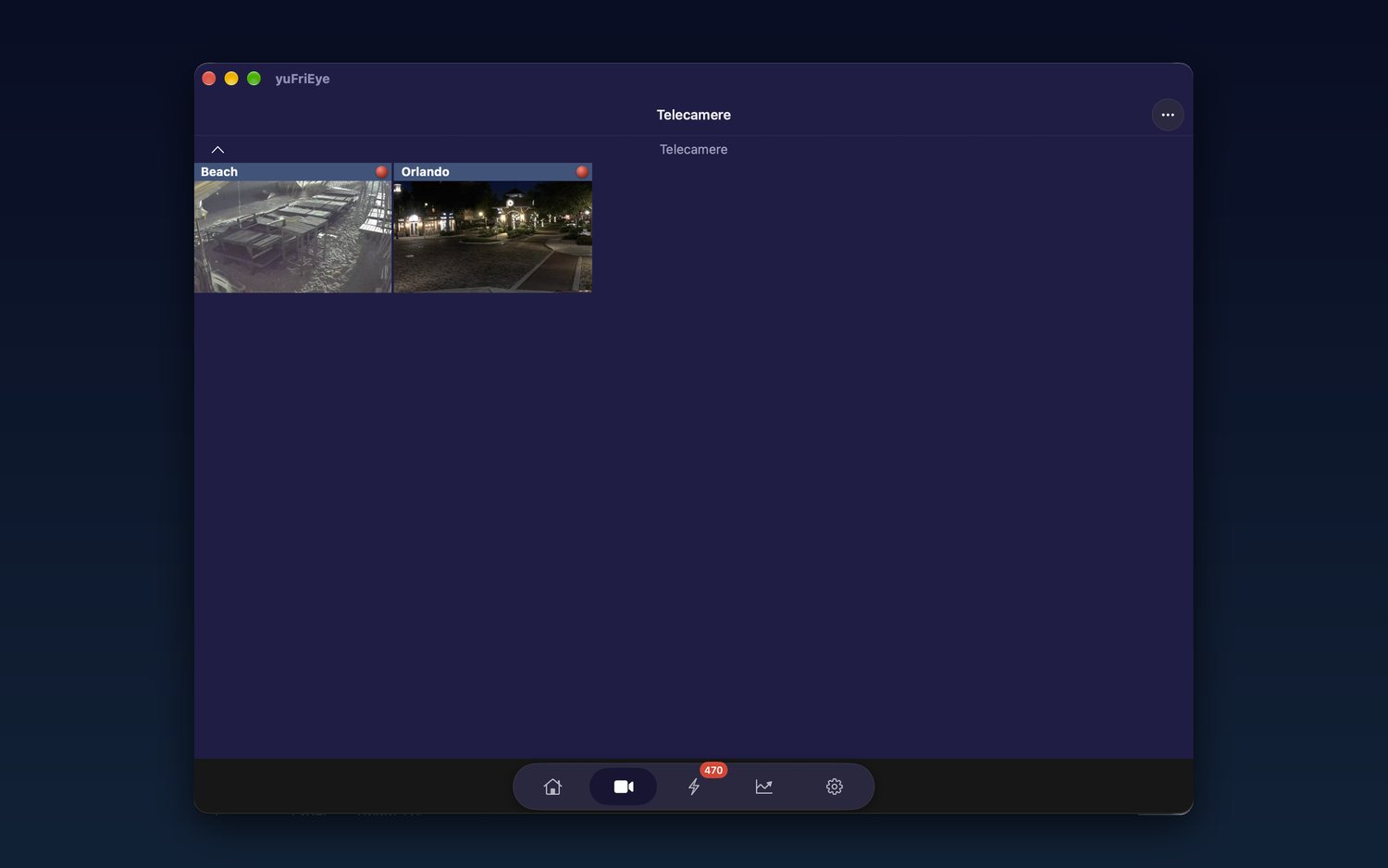
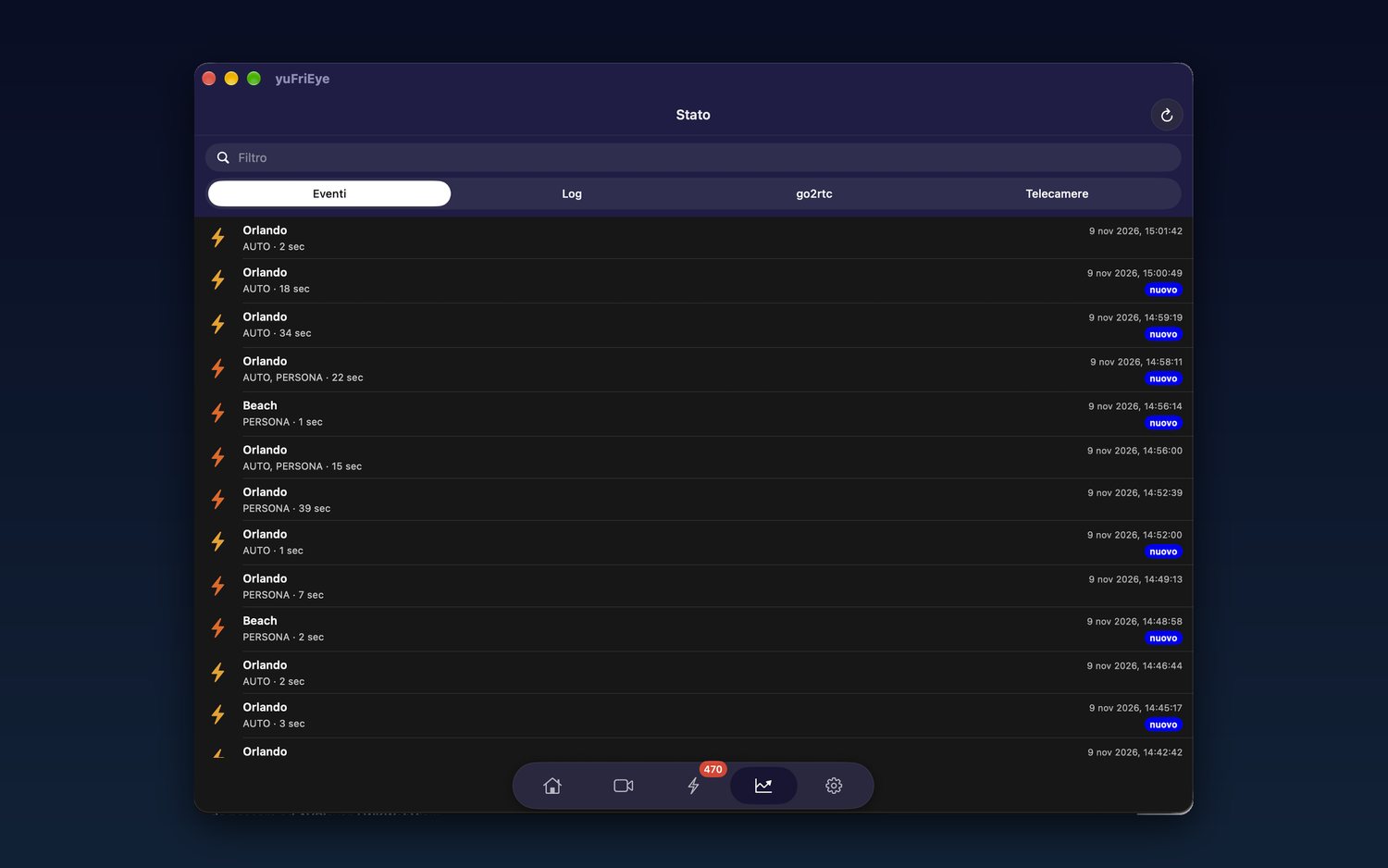
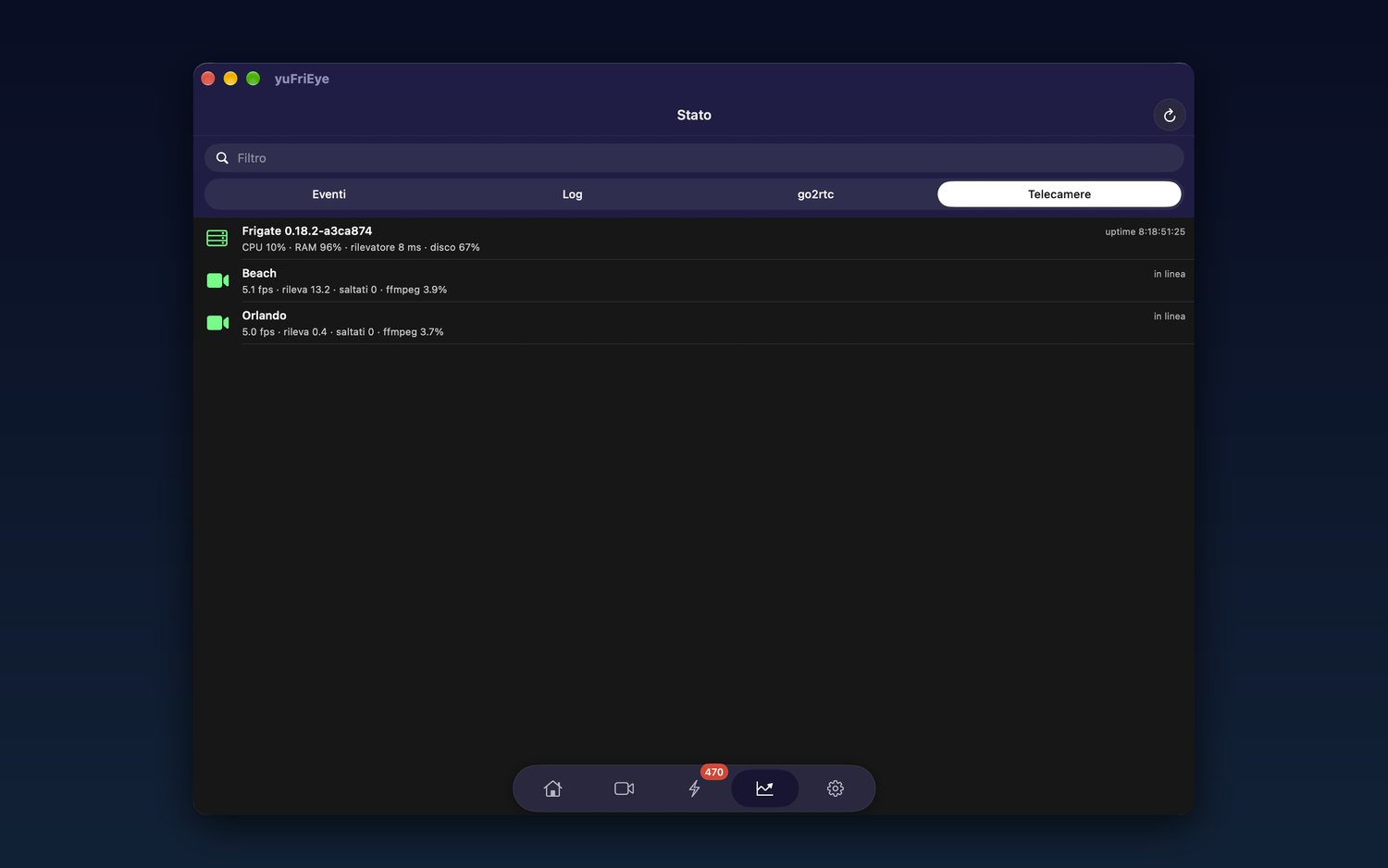
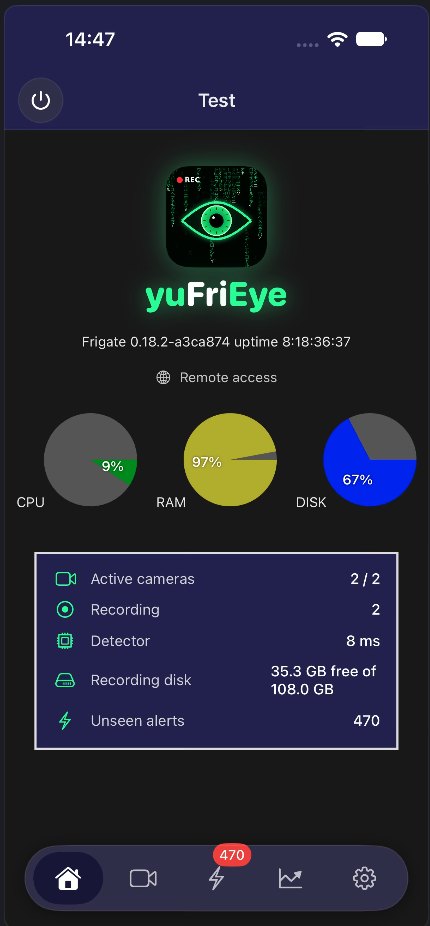
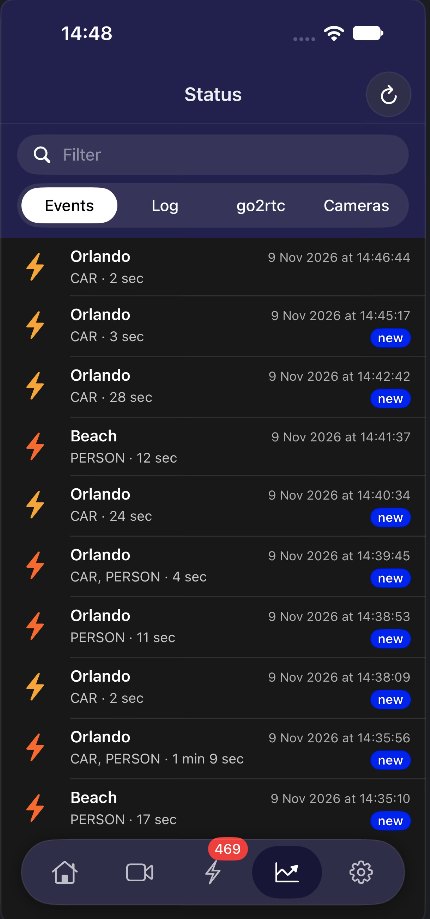
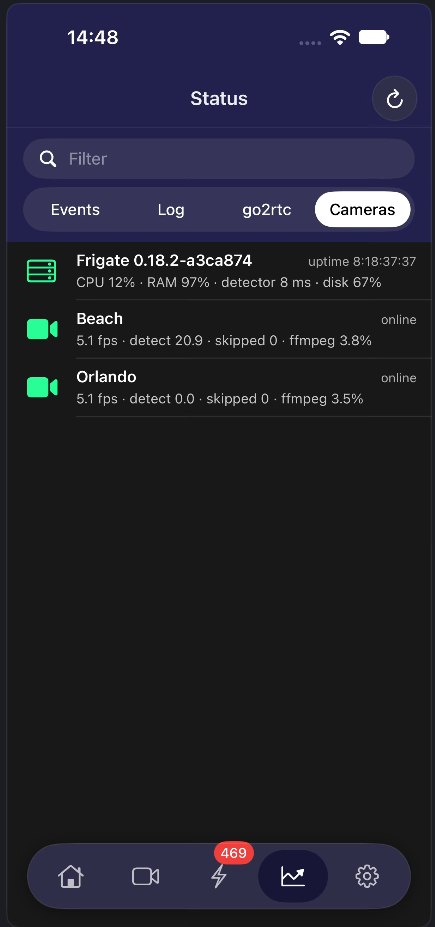
- Home con CPU, memoria e spazio delle registrazioni, versione di Frigate, telecamere attive e avvisi da vedereHome screen with CPU, memory and recording storage, Frigate version, active cameras and pending alerts
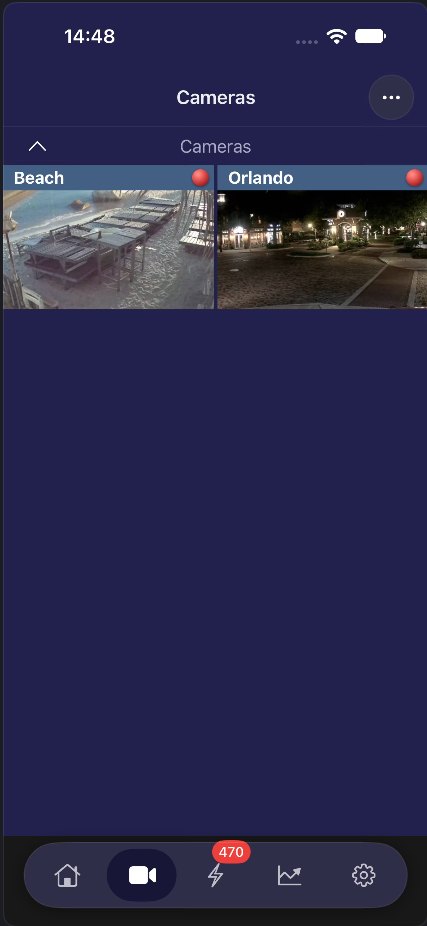
- Griglia live con anteprime aggiornate da sole, da due a cinque colonneLive grid with self-refreshing previews, from two to five columns
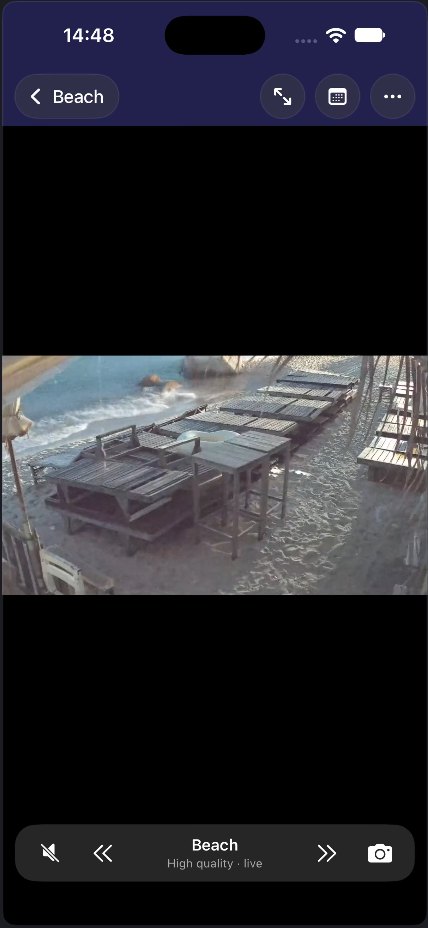
- Diretta a bassa latenza con audio tramite go2rtc e flusso ridotto per risparmiare datiLow-latency live video with audio via go2rtc, plus a lower-quality stream to save data
- Zoom con pizzico e doppio tocco, scorrimento tra telecamere, schermo intero, istantanee in FotoPinch and double-tap zoom, swipe between cameras, full screen, snapshots to Photos
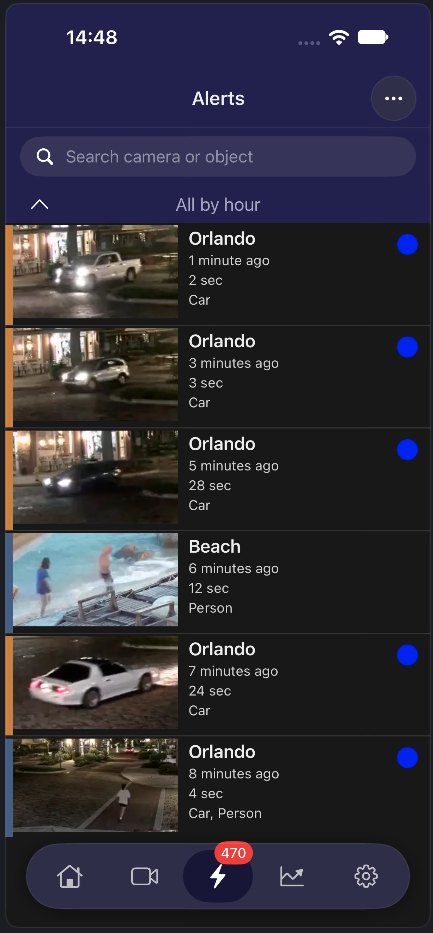
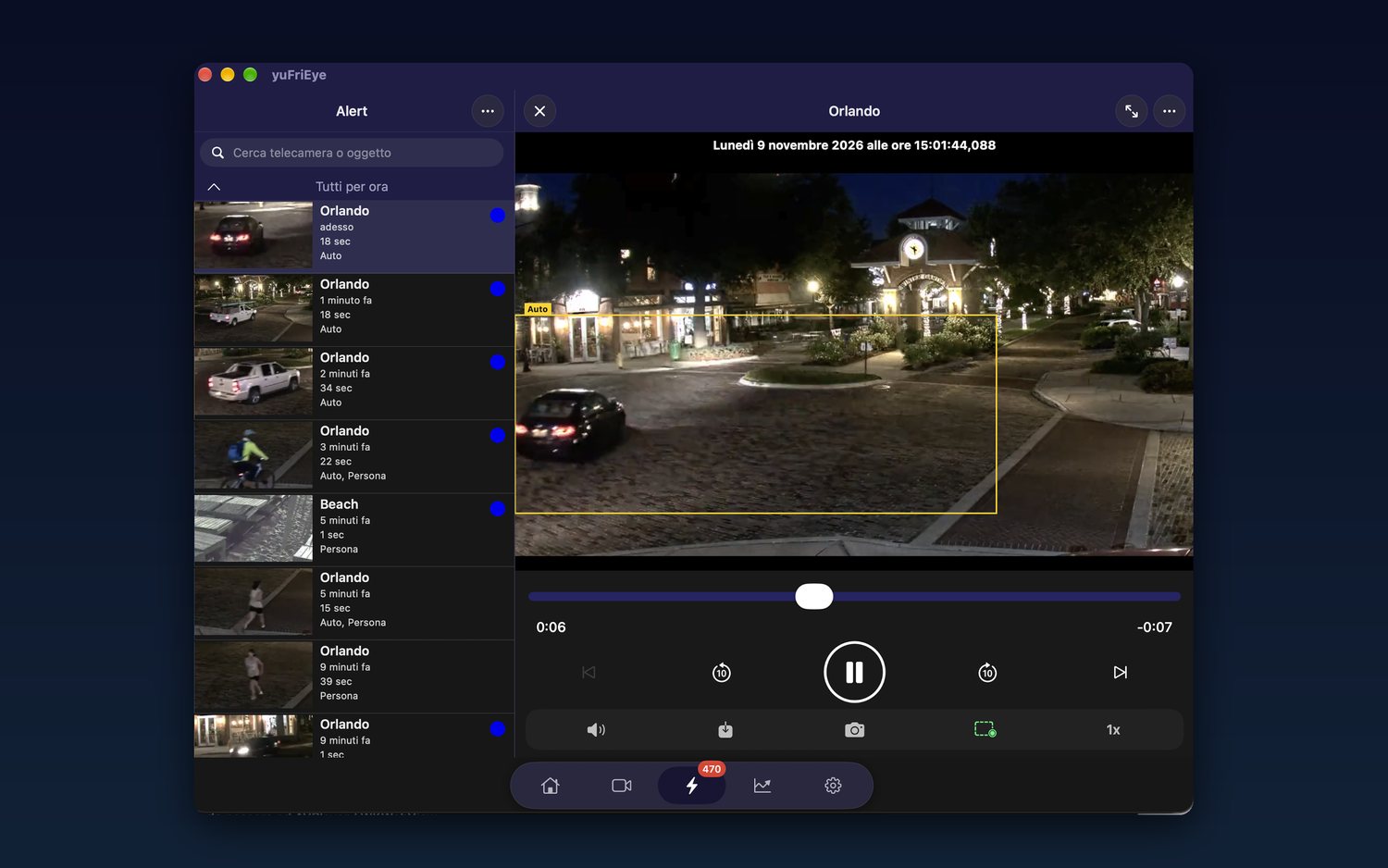
- Avvisi raggruppati per ora con miniature, durata, oggetti rilevati e ricercaAlerts grouped by hour with thumbnails, duration, detected objects and search
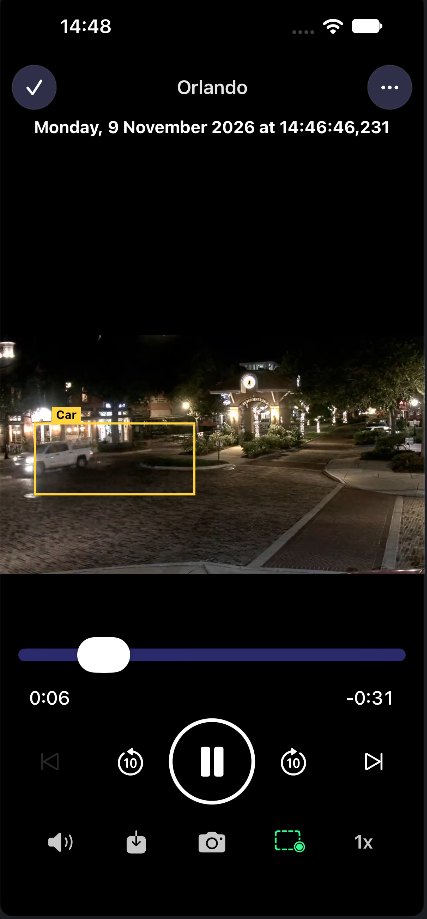
- Lettore delle clip con riquadri sugli oggetti rilevati, velocità, salti di 10 secondi, download e condivisioneClip player with boxes around detected objects, speed control, 10-second skips, download and sharing
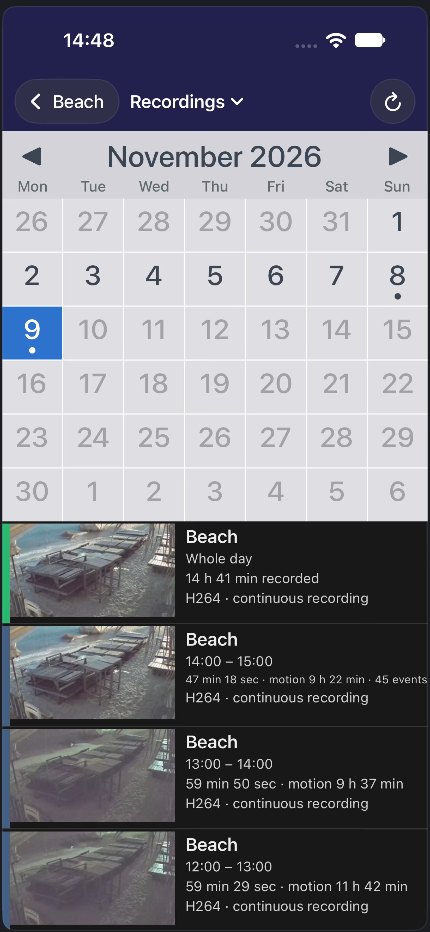
- Calendario delle registrazioni per telecamera, con riproduzione continua della giornataPer-camera recording calendar with continuous full-day playback
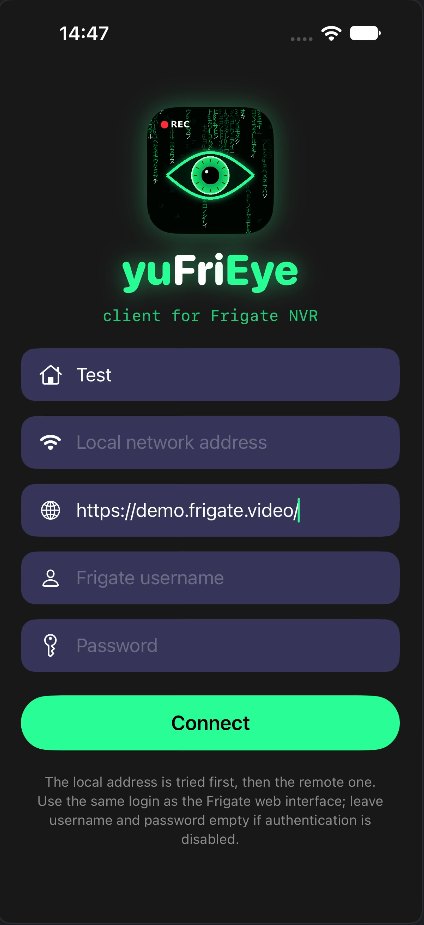
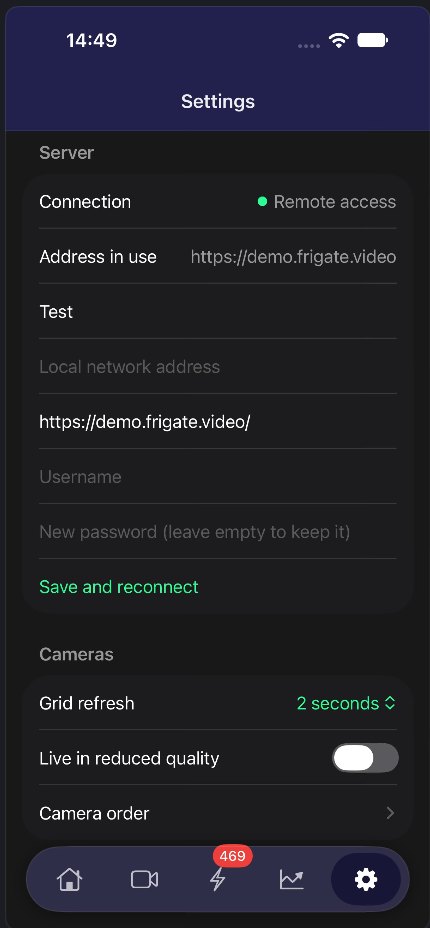
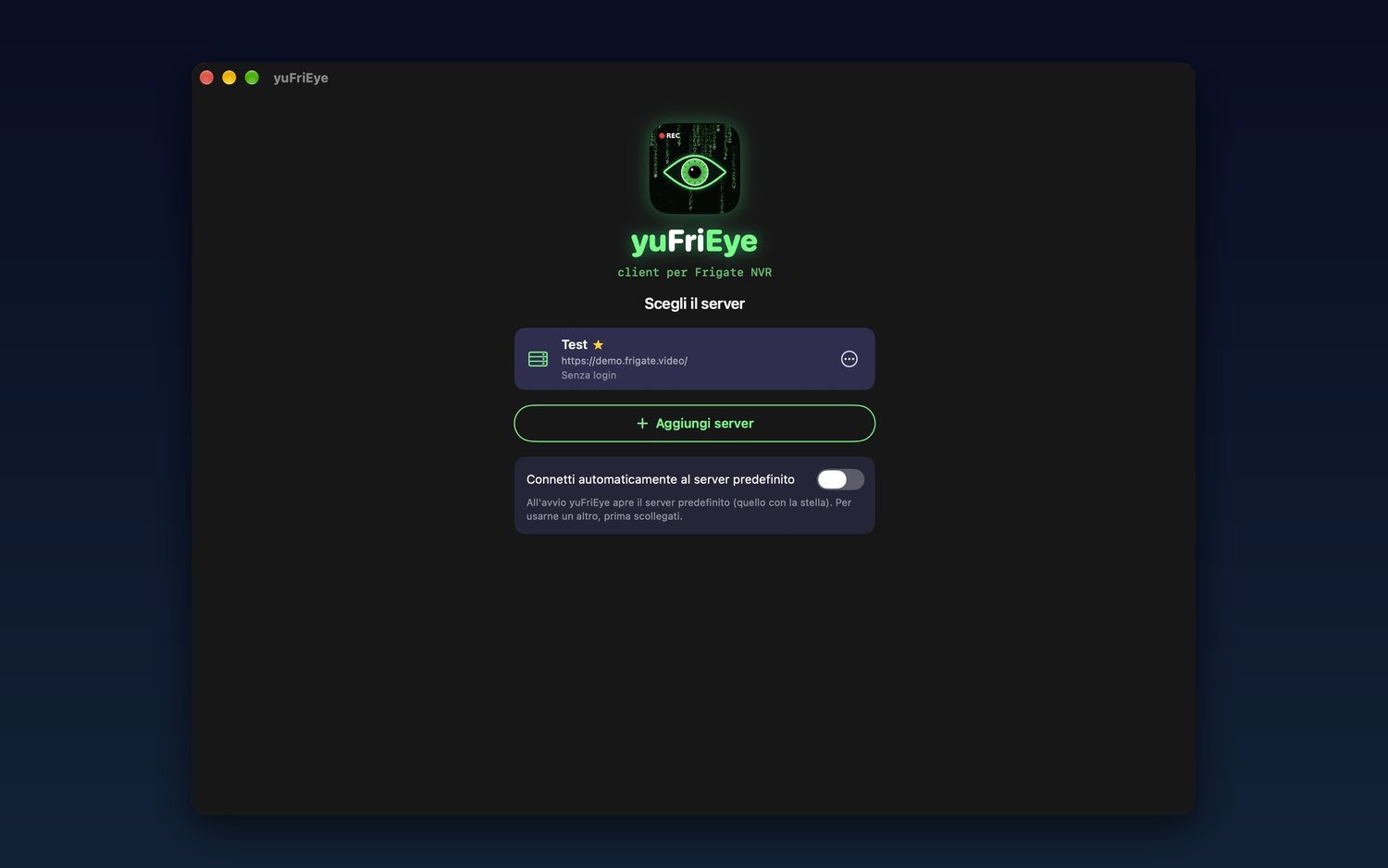
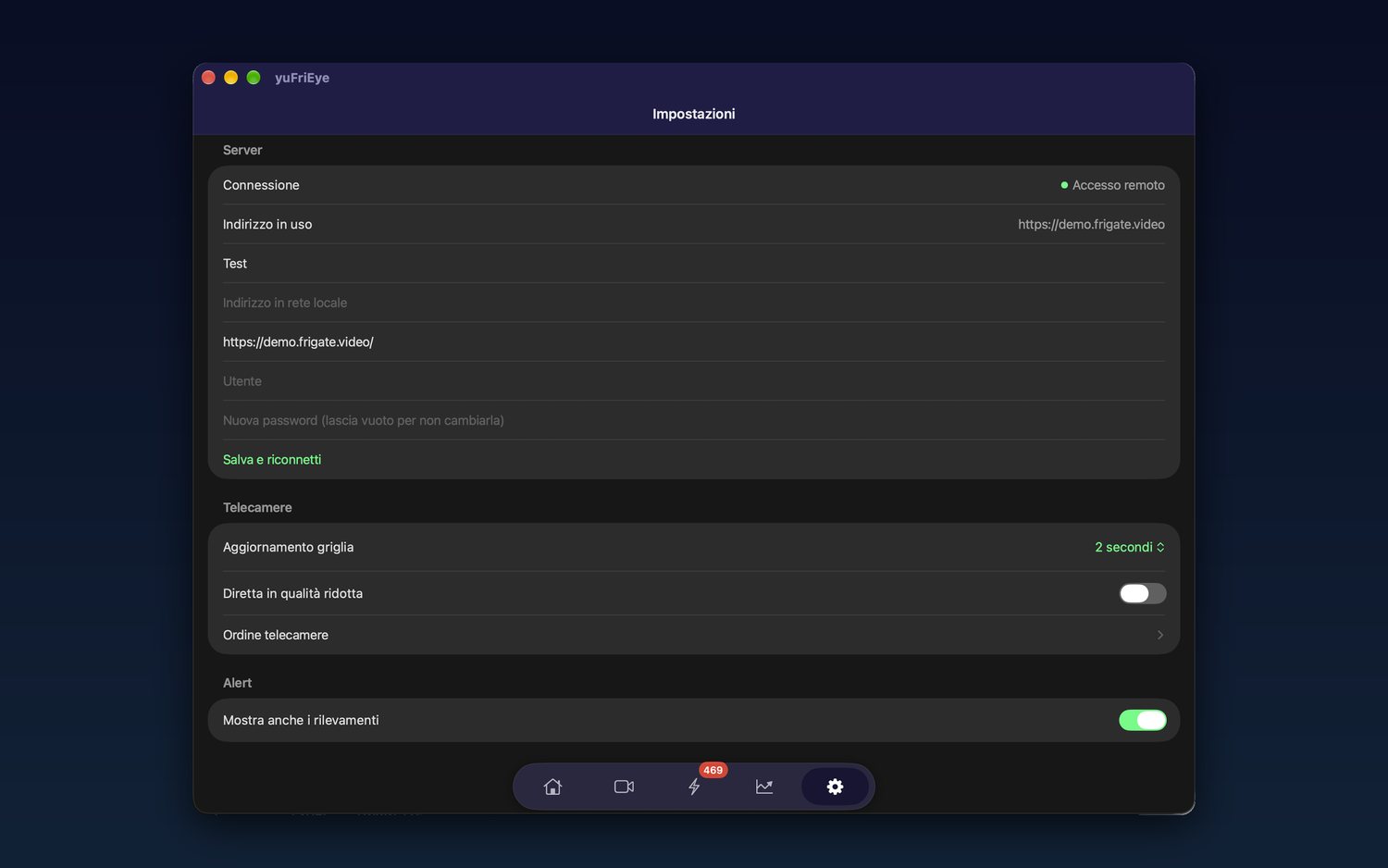
- Più server, connessione automatica tra indirizzo locale e remoto, con o senza autenticazioneMultiple servers, automatic switching between local and remote address, with or without authentication
- Ottimizzata per iPhone pieghevole, iPad e Mac con scorciatoie da tastieraOptimized for foldable iPhone, iPad and Mac with keyboard shortcuts
GuidaGuide
Cosa serveRequirements
Un server Frigate 0.14 o successivo raggiungibile dal dispositivo: in rete locale, tramite VPN o pubblicato su internet con un reverse proxy.
A Frigate 0.14 or later server the device can reach: on the local network, through a VPN, or published on the internet behind a reverse proxy.
Collegare il serverConnecting your server
Al primo avvio inserisci l'indirizzo del tuo Frigate (per esempio https://frigate.example.com o http://192.168.1.10:5000) e, se l'autenticazione è attiva, utente e password. Puoi indicare sia l'indirizzo locale sia quello remoto: l'app usa da sola quello raggiungibile.
Puoi aggiungere altri server e scegliere quale aprire all'avvio.
On first launch enter your Frigate address (for example https://frigate.example.com or http://192.168.1.10:5000) and, if authentication is on, username and password. You can set both a local and a remote address: the app picks the one it can reach.
You can add more servers and choose which one opens at launch.
DirettaLive view
Nella griglia tocca una telecamera per aprire la diretta. Pizzica o tocca due volte per ingrandire, scorri per passare alla telecamera successiva. Se la connessione è lenta, passa al flusso ridotto. L'audio e la latenza bassa richiedono go2rtc configurato in Frigate.
In the grid, tap a camera to open the live view. Pinch or double-tap to zoom, swipe to move to the next camera. On a slow connection switch to the lower-quality stream. Audio and low latency need go2rtc set up in Frigate.
Avvisi e registrazioniAlerts and recordings
Gli avvisi sono raggruppati per ora: tocca un avviso per vedere la clip con i riquadri sugli oggetti rilevati. Dal calendario di una telecamera scegli un giorno per vedere a che ore c'è stato movimento e riprodurre la registrazione da un orario preciso.
Alerts are grouped by hour: tap one to watch its clip with boxes around the detected objects. From a camera's calendar pick a day to see when there was motion and play the recording from a specific time.
NotificheNotifications
L'app non invia notifiche push: per essere avvisato degli eventi usa l'integrazione di Frigate con Home Assistant o con il tuo sistema di notifiche.
The app doesn't send push notifications: to be alerted about events use Frigate's integration with Home Assistant or your own notification system.
Installazione su MacInstalling on Mac
Scarica lo zip, aprilo con un doppio clic e trascina yuFriEye.app nella cartella Applicazioni. La versione Mac è disponibile anche sull'App Store, che la tiene aggiornata da sola: il download diretto serve se preferisci installarla a mano. Richiede macOS 14 o successivo.
Se al primo avvio macOS chiede conferma, apri Impostazioni di Sistema > Privacy e sicurezza e scegli Apri comunque.
Download the zip, double-click it and drag yuFriEye.app into your Applications folder. The Mac version is also on the App Store, which keeps it updated automatically: the direct download is for when you'd rather install it by hand. Requires macOS 14 or later.
If macOS asks for confirmation on first launch, open System Settings > Privacy & Security and choose Open Anyway.
Informativa privacyPrivacy policy
Ultimo aggiornamento: 9 novembre 2026Last updated: November 9, 2026
In breveIn short
yuFriEye non raccoglie dati personali. Non ci sono account, pubblicità, statistiche d'uso né tracciamento, e lo sviluppatore non riceve nessuna informazione su di te o su come usi l'app.
yuFriEye does not collect personal data. There are no accounts, ads, usage analytics or tracking, and the developer receives no information about you or how you use the app.
Dati sul dispositivoData on your device
Impostazioni, progressi e contenuti che crei restano sul tuo dispositivo e vengono cancellati quando elimini l'app.
Settings, progress and content you create stay on your device and are deleted when you remove the app.
Foto e fotocameraPhotos and camera
L'app usa la fotocamera o la libreria foto solo quando lo chiedi tu, per acquisire l'immagine che scegli. Le immagini restano sul dispositivo (o nel tuo iCloud privato, se attivo) e non vengono mai caricate altrove. L'eventuale riconoscimento del testo avviene sul dispositivo.
The app uses the camera or photo library only when you ask it to, to capture the image you pick. Images stay on the device (or in your private iCloud, if enabled) and are never uploaded anywhere. Any text recognition happens on the device.
ConnessioniConnections
L'app si collega direttamente e soltanto al server Frigate che configuri tu. Indirizzi e credenziali restano sul dispositivo (le password nel Portachiavi) e non passano da server dello sviluppatore.
The app connects directly and only to the Frigate server you configure. Addresses and credentials stay on the device (passwords in Keychain) and never pass through the developer's servers.
MinoriChildren
L'app non raccoglie dati personali di nessun utente, bambini compresi.
The app collects no personal data from any user, children included.
Modifiche e contattiChanges and contact
Eventuali modifiche a questa informativa saranno pubblicate su questa pagina. Titolare: Yuri Fretti. Per qualsiasi domanda scrivi a yuri.fretti@yufretti.com. Per i dati gestiti da Apple vale l'informativa privacy di Apple.
Any changes to this policy will be posted on this page. Data controller: Yuri Fretti. For any question write to yuri.fretti@yufretti.com. Data handled by Apple is covered by Apple's privacy policy.
SupportoSupport
Hai un problema, un dubbio o un’idea per yuFriEye? Scrivimi a yuri.fretti@yufretti.com indicando il modello del dispositivo e la versione di iOS: di solito rispondo entro pochi giorni.
Got a problem, a question or an idea for yuFriEye? Write to yuri.fretti@yufretti.com with your device model and iOS version: I usually reply within a few days.